





The App Store preview: 30 seconds, muted, one idea

the short version
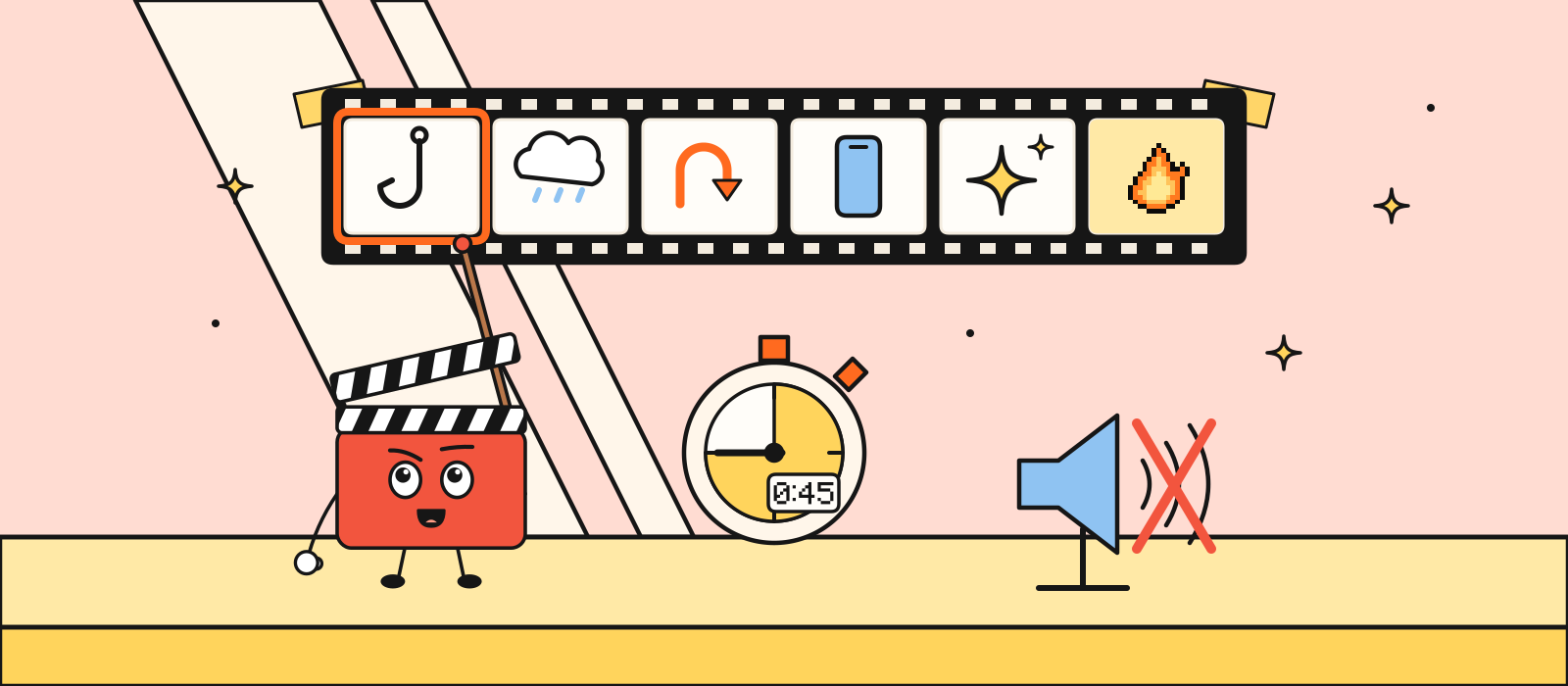
- An App Store preview is 15 to 30 seconds. Apple allows up to three per device size and language. It is optional.
- It sits in front of your screenshots, and Apple’s guide says previews autoplay on the product page and in search. Plan for the sound to be off.
- Use footage of the real app, captured on a device. One idea. The 45-second launch film is a different cut.
- The poster frame defaults to five seconds in. Set it yourself, to the hero moment, before you submit.
In this post6 sections
An App Store preview is 15 to 30 seconds of the real app, captured on a device, with one idea. Apple’s app preview guide says previews autoplay on the product page and in search results, and App Store Connect places them in front of your screenshots. Plan for people to see it with the sound off, the same way you plan any other launch video. If you only have time for one moving image in the store, this is the one. It is also optional. A strong screenshot 1 beats a preview that doesn’t say what the app does.
This is not the launch film. How to structure a 45-second launch film is the piece for X, your site and a pitch. The film can be a story. The preview has to be the product, inside Apple’s length, and it has to match your screenshots or it won’t even sit next to them. The stop-scrolling test is how you check the opening of either.
We haven’t shipped a client’s preview. The film on our homepage is ours. The limits below are Apple’s, from their App Store Connect preview specifications and their app preview guide, checked rather than remembered.
Fifteen to thirty seconds

Apple’s specifications: minimum 15 seconds, maximum 30, file up to 500MB, up to 30 frames per second. You can upload up to three previews per device size and language, for iOS and the other platforms they list. Three is a ceiling, not a target. One clear preview is plenty for a first launch. A second is for a genuinely different idea, not the same demo with the caption moved.
Thirty seconds is long enough for one job: show the hero moment, and the one step that gets you there. It is not long enough for a tour of the settings. If your script has a second “and also”, you have a second video, or you haven’t chosen.
For a current large iPhone, App Store Connect accepts 886×1920 portrait, or 1920×886 landscape. Apple’s spec page says to provide the highest resolution you need and let it scale down, rather than exporting a file per phone. Match the orientation of your screenshots. This matters more than it sounds, and it’s the next section.
It plays before the screenshots
On iPhone, iPad, Mac and Apple TV, app previews are shown before screenshots, even if you drag them the other way in App Store Connect. So the preview is the first moving thing, and screenshot 1 is the first still. They should be the same idea. A preview about the receipt scanner and a first screenshot about a social feed is two products in one listing.
There’s a catch in Apple’s upload notes. If the preview’s aspect ratio doesn’t match your screenshots, it doesn’t lead the gallery. It goes to the “A Closer Look” section instead. A beautiful 16:9 film dropped into a portrait listing is a film most people on the product page won’t see first. Export the preview in the same orientation as the set. Portrait screenshots, portrait preview.
| Preview | Launch film | |
|---|---|---|
| Length | 15–30 seconds, Apple’s cap | About 45 seconds for the hero cut |
| Picture | The real app, captured on device | Type, story, UI, whatever the film needs |
| Where | In front of the screenshots | X, your site, the pitch, YouTube |
| Sound | Assume off. Put the words on screen | Same rule. Sound is the bonus |
| First frame | A poster you choose | A poster that matches frame zero |
The poster frame is a choice
The poster is the still people see before the video plays, and the only thing they see if they’ve turned autoplay off. Apple’s default is five seconds into the file. Five seconds in is often a transition, a half-loaded screen, or a word sliding into place. None of those is a poster.
Scrub to the hero moment and set that frame. Do it before you submit. Apple’s app preview page says that changing the poster on a preview that’s already approved means submitting a new version of the preview. Processing can take up to 24 hours, so “I’ll fix the poster in the morning” can mean the poster is wrong on launch morning.
The poster and screenshot 1 should be recognisable as the same moment. Not the same pixels. The same promise. Someone who doesn’t press play should still learn what the app does.
One idea, captured on a device

Apple’s guide describes previews as footage captured on device: the app’s features, the interface, the content. A motion-graphics film with no product in it is a launch film. It is a poor preview. Screen-record the real build, on a device, with believable content already in the account. Tidy the status bar first (9:41, full battery, no badges), the same as you would for a screenshot.
A simple shape that fits in 20 seconds:
- The result, first. The finished thing, full frame, with two to six words on it. The same caption discipline as screenshot 1.
- One step back. How you got there, in a single gesture. Not six gestures.
- The result again, held long enough to read twice, and the name of the app if it isn’t already obvious.
Hold every phrase long enough to read twice. That’s the same rule as the launch film, and it matters more here because you have less time and no second chance in the scroll. If a phrase is on screen for less than a beat, it isn’t a phrase. It’s a flicker.
Skip the logo opener. The icon is already next to your name in the search result. Spending the first two seconds of a 20-second preview on the logo is spending a tenth of the video on something they can already see.
What to export
From Apple’s spec page, the practical list for an iPhone launch:

You don’t need a localised preview for every language on day one. Apple uses the next best language if one is missing. Do write the on-screen words in the language of the listing they’re attached to. A preview that says one thing and a subtitle that says another is the same mistake as a caption that disagrees with the icon.
Google Play has its own preview rules and its own file. Don’t upload the App Store file there and hope. The listing-copy post makes the same point about the words. The picture is no different.
Questions
Do I need an App Store preview to launch?
No. Apple marks it optional. Ship it if it shows the hero moment more clearly than screenshot 1 does. Skip it if the only version you have is a logo and a stock track. A bad preview plays first, which means it gets in the way of a good screenshot.
Can I use my 45-second launch film?
Not as-is. The film is longer than Apple’s 30-second cap, it’s usually the wrong shape, and it often opens on type rather than on the app. Cut a new 15 to 30 seconds from footage of the product. The film can still live on your site and on X.
What if people watch with the sound off?
Assume they do. Apple’s guide says previews autoplay in search and on the product page. Put the sentence on screen, hold it long enough to read twice, and use the stop-scrolling test on the first two seconds. Sound can be lovely. It cannot be the only way the preview makes sense.
How is this different from screenshot 1?
The preview moves and plays first. Screenshot 1 is the still beside it, and the thing people see if they never press play, along with the poster frame. Same idea, two formats. If you only have a day, do screenshot 1 properly and add the preview when the recording is honest.
A launch film for X, your site and the store is 30–60 seconds, about two weeks, from £3,000, on the launch film page. The preview is the store cut of that work, not a separate miracle.
If you have a cut and you want to know whether the first two seconds survive a search result, book a free 15-minute call. Bring the video. We’ll watch it with the sound off.